
Splendor Eremen
I help coaches and agencies automatically turn inbound leads into booked calls with reminders and follow-ups — so they never miss revenue.
What I Do
What I Can Automate For You• Lead capture & booking systems
• Email automation & follow-ups
• Customer support workflows
• Content scheduling systems
• CRM & data tracking systems
💼 PROJECTS
PROJECT 2
PROJECT TITLE : AI-Powered LinkedIn Lead Generation & Auto-Reply System
Problem
Businesses waste hours manually finding and replying to LinkedIn leads.Most leads get ignored or replied to too late, losing potential clients.
Solution
I built an automation that:• Extracts people engaging with LinkedIn posts
• Filters out low-quality leads
• Generates personalized AI replies
• Stores everything in a structured CRM (Google Sheets)This allows businesses to engage leads instantly and consistently.
WorkFlow
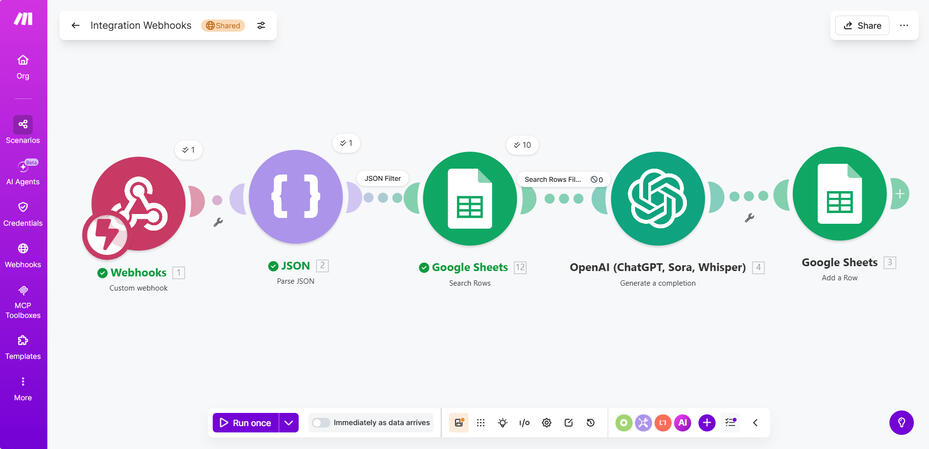
Webhook → JSON → Filter → OpenAI → Google Sheets
1. Capture LinkedIn commenters using PhantomBuster
2. Send data to Make via webhook
3. Filter out low-quality comments
4. Generate personalized replies using AI
5. Store leads and responses in Google Sheets
Make Automation
Google Sheet output
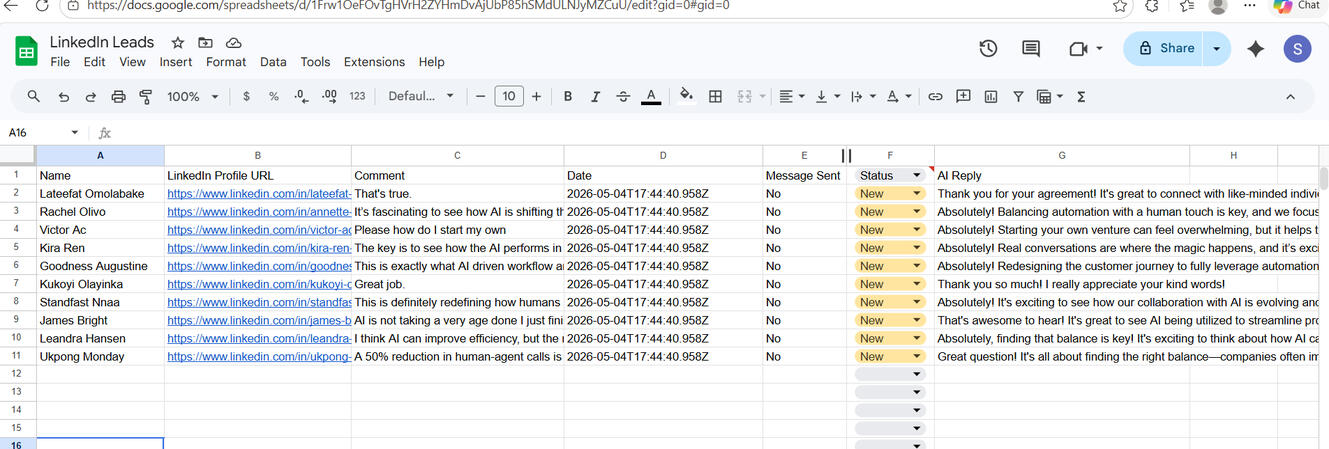
LinkedIn AI Lead Automation Demo
Results
• Reduced manual outreach time by 90%
• Enables instant engagement with new leads
• Creates a scalable lead generation system
Tools Used
• Make (Integromat)
• PhantomBuster
• OpenAI (GPT-4o-mini)
• Google Sheets
Who this is for
Ideal for:• Coaches
• Agencies
• SaaS founders
• Personal brands on LinkedIn
PROJECT 3
PROJECT TITLE: AI Email Warmup & Auto-Reply System
Problem
Cold email accounts often land in spam because they don’t have real conversation history.
Manually warming up inboxes is slow, repetitive, and unrealistic, which reduces email deliverability and response rates.
Solution
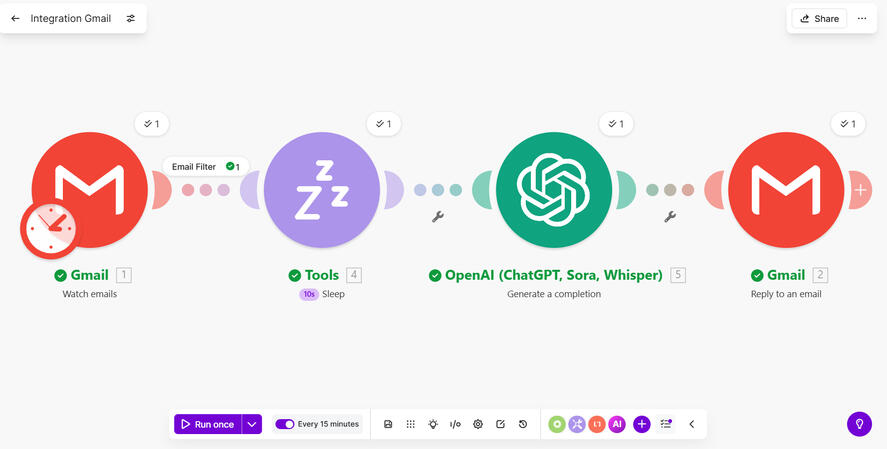
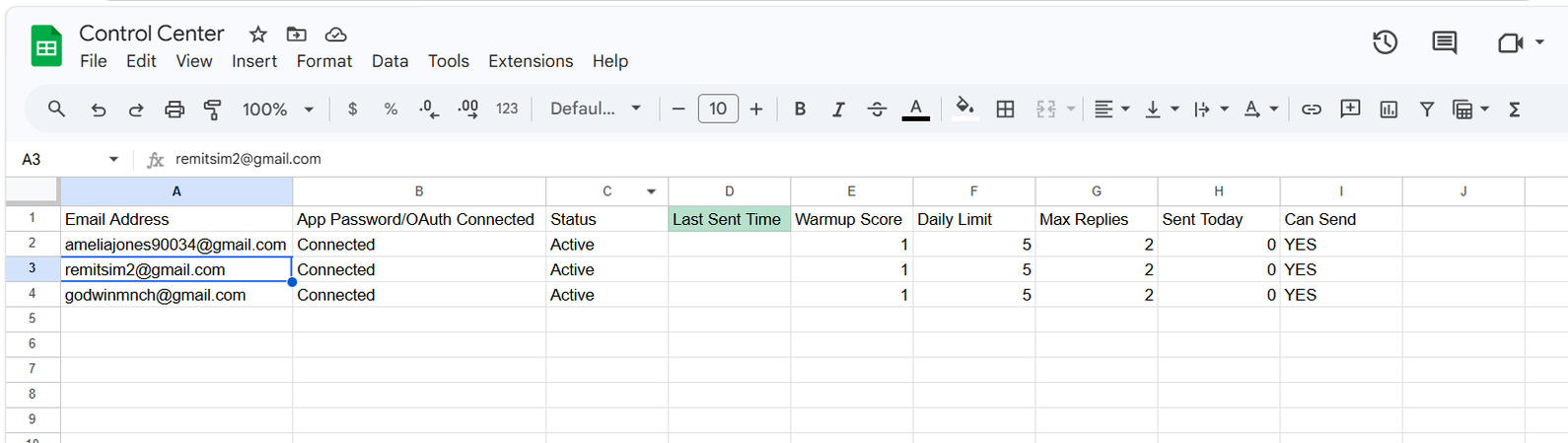
I built an automated system that simulates real human email conversations using AI-generated replies and randomized delays.
This creates natural engagement between inboxes, helping improve email reputation and deliverability.
WorkFlow
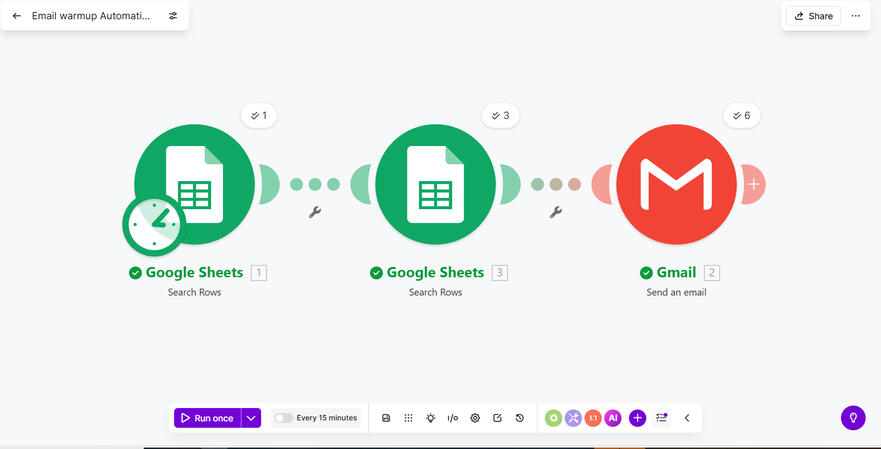
Send Email → Receive Email → Detect → Delay → AI Reply → Send Reply → Repeat
The system:sends emails
receives replies
responds naturally👉 This makes email providers trust the account more.
Sender Automation (Start the conversation)
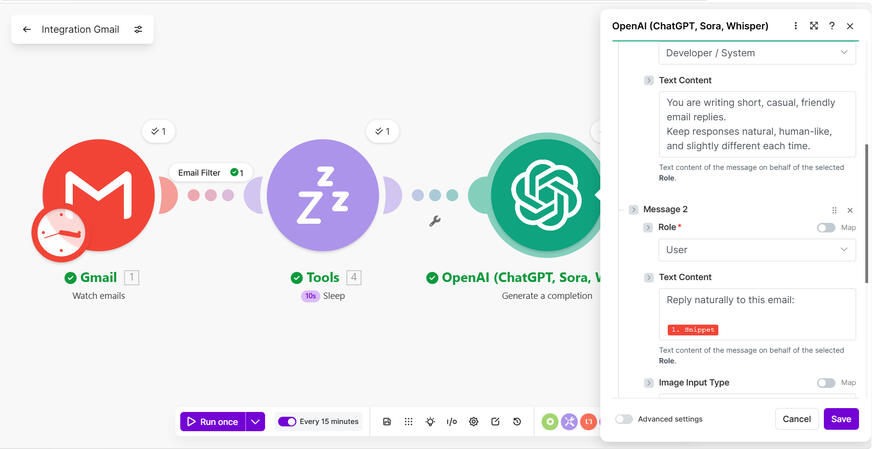
Reply Automation (The smart part)
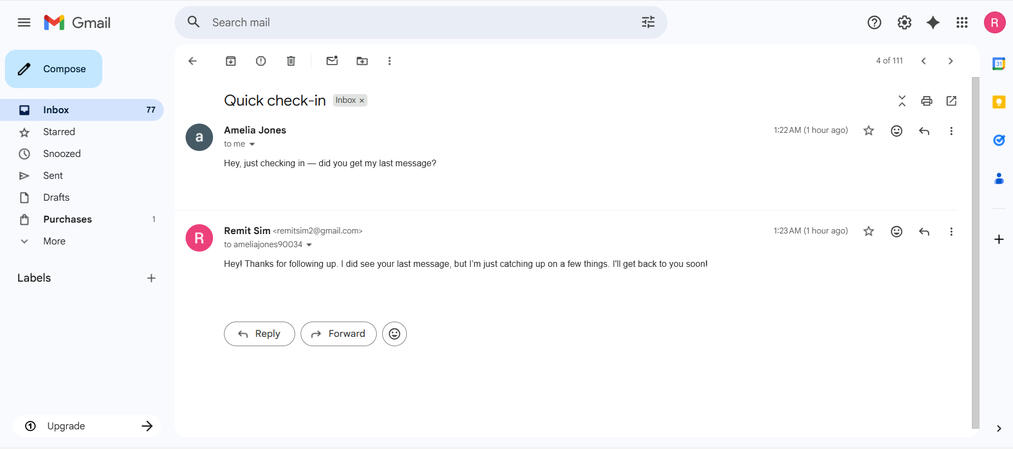
Gmail Proof
OpenAI configuration
Google Sheets
Results
Emails are sent and replied to automatically
Replies are unique and human-like (AI-generated)
Response timing mimics real human behavior
Conversations stay properly threaded
System runs without manual input
Tools Used
Make
Gmail
OpenAI API
Google Sheets